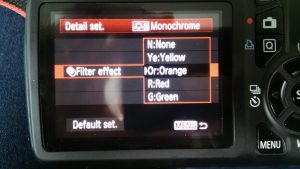
As you know, I do like a black and white picture. However, when setting the Picture Style to Monochrome, there are further options that can help enhance your photos in camera. I generally play around with the filter settings. In my Canon, I have the option to choose between no filters, yellow through to green, as shown below:
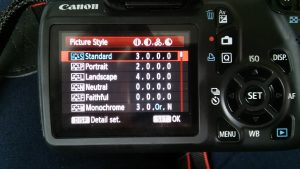
Just so you can understand the conditions, it was a gloomy evening when I was taking these pictures of a red rose in my back garden. I had the camera set to ISO 400 with a shutter speed of 1/60. I was in Shutter Priority (Tv), with the white balance set to shade.
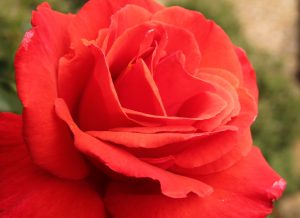
Here’s an image of the rose in full colour, so you get an idea of the starting point.
Below shows the rose in monochrome with no filters:
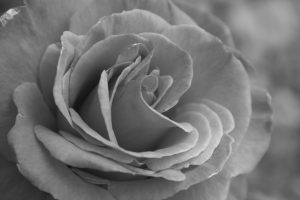
It’s an OK picture. I think it makes the rose look a bit like a cabbage those, and could do with some more definition!
The picture below shows what a yellow filter does. In this instance, it has made the image ever so slightly brighter.
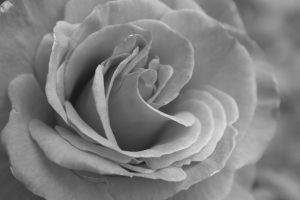
An orange filter brightens the image even further:
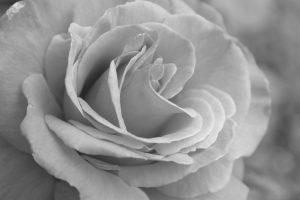
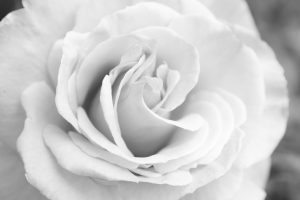
And finally, using a red filter, the image is completely saturated, with a few spots of over exposure. This might be OK if you’re attempting a high key style image.
What to remember?
Well, the image taken in monochrome with a filter applied will be impacted by the colour of the subject matter. In this instance, the red filter bleaches the red rose. However, it would deepen the contrast of greens, for example. There is no right or wrong. It’s all about what you were trying to achieve.