…Well, only with Facebook. Smudge on the Lens has its very own Facebook page with, you’ve guessed it, just me as its audience! Woohoo.
https://www.facebook.com/smudgeonthelens/
So what I need to suss out now is how to get a Facebook link onto my website. I shall just have a look at the Plugins, as a quick Google looks like that is the only route.
I’ve decided to go with WP Facebook Auto Publish as almost 500 people gave it a 5 star review. Let’s see if it does what I was expecting! Hmmm. I feel a fail is already on the cards, as it says I need to register as a Developer to get a Facebook application…I don’t really think that’s what I want. Arrrggh.
So, my next Plugin attempt is Ultimate Social Icons and Share.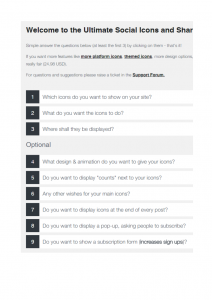 After activating it, these are the options it gives me. I’m hoping it’ll give me the chance to display a Facebook icon. Let’s explore! As it turns out, each of the numbers is a drop down menu. It gives nice, simple instructions and then you save your settings and move onto the next question. These are all free, but it does like to frequently tell you about the premium (and payable) options available. It also insists you leave a review if you’re using the free plugin, which I’ll do next. I tried to ignore it, but it called me a “toughie” and came up with another pop up box. I think they were anticipating people like me! So, I have saved all the settings and I believe I’m doing something with widgets. Let’s see if I have success!
Not bad! I’m not sure I like the pop up box that appears in my Contacts page. I think that might go, as people might find that annoying. But I do like seeing the little grey Facebook icon. Makes me look a bit more of a pro. Ha!